This menu is used to select which tile you want to use with the Stamp tool. It can be opened by hovering over the categories in the lower part of the screen. It has 4 categories: Tiles, Decorations, Objects, and Functions. Here is how they look in the editor:
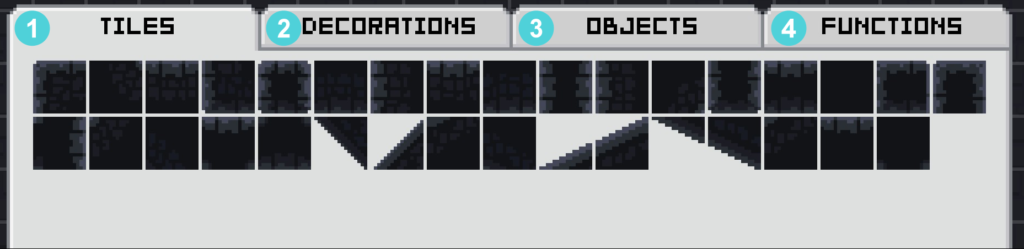
1 – Tiles – These blocks build up the foundation of the level. Each of them can be rotated or flipped with the Rotate or Horizontal/Vertical Flip.
2 – Decorations – These are decorative tiles used to make your level pretty and visually appealing. Added in 5.2.0
3 – Objects – These are some miscellaneous items such as boxes, bombs, enemies, or bridges.
4 – Functions – These items are used for the technical aspect of the level or for player modifications.
Enemies – These are all the entities and blocks that can deal damage to the player. Removed in 5.2.0