
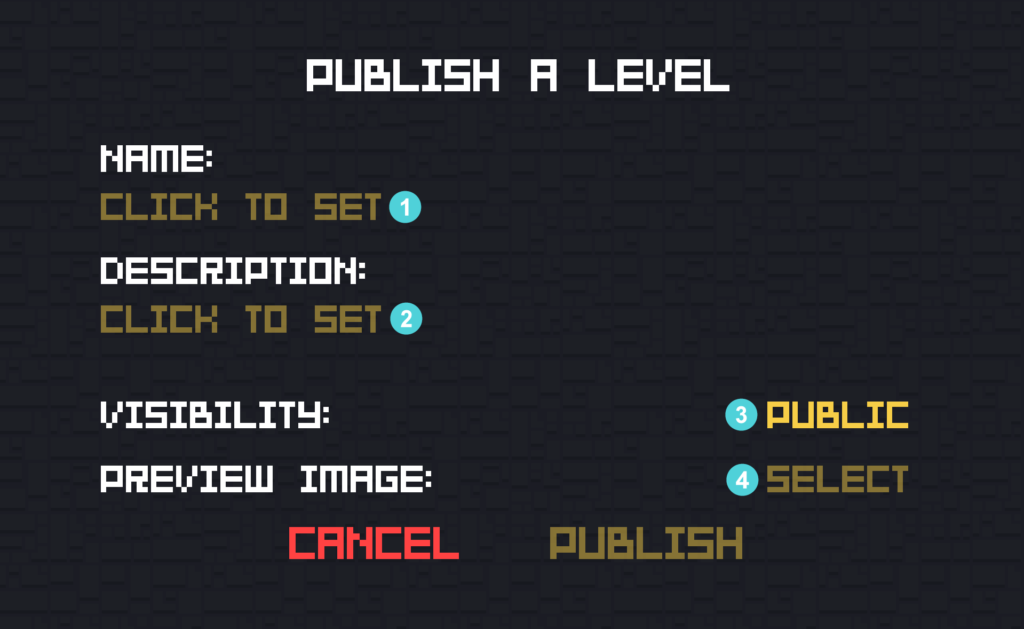
1 – Name – Set a name for your level. This will be displayed in the subscribed items list and on the Steam Workshop. This can be later changed on your Workshop page.
2 – Description – Set the description of your level. This is the text that will be located under the title and screenshots on the Workshop page. This can be later changed on your Workshop page.
3 – Visibility – Determines if your level will be publicly available, visible only to your friends or private. This can be later changed on your Workshop page. This can be later changed on your Workshop page.
4 – Preview image – This is the thumbnail that will be displayed on the Steam Workshop Discovery page. You can take a screenshot of your level by using the Zoom out tool (Ctrl + Numpad 0) in the editor.